The article has been updated successfully.
| Knowledgebase Home | Glossary | Favorites | Contact | Login |
| How to Create Tabs in ACT | |||||||
|
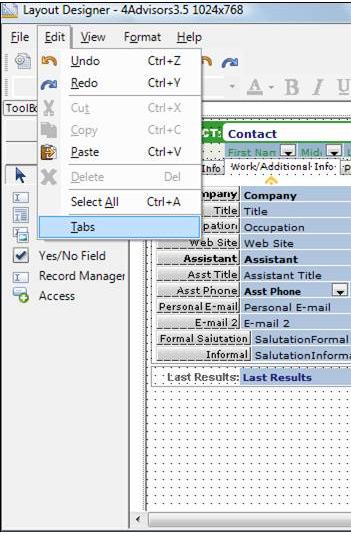
1. Go to Tools, Design Layout, Contacts. 2. Go to Edit and choose Tabs.
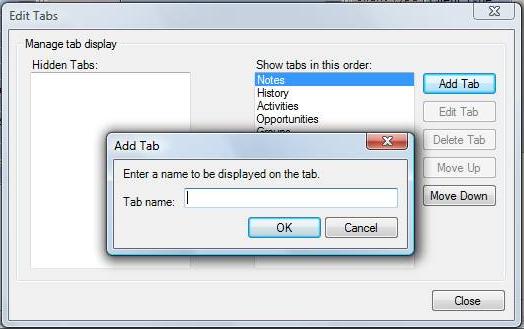
3. Click on the Add Tab button. |
|
||||||
| Related Articles |
| No related articles were found. |
| Attachments |
| No attachments were found. |
|
ACT! is a registered trademark of Sage Software, Inc.:::Allied Financial Software, Inc. Copyright 1999-2009
|